
Art Mate Together: How to Draw
Ahc Foundation IncArt & Design
0.00.00 Reviews
- Version
- 1.0.8
- Installs
- 10.00K
- Age Rating
- Everyone
Screenshots
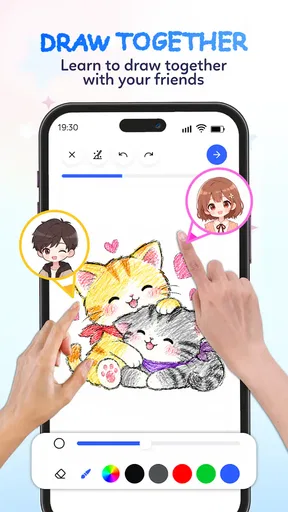
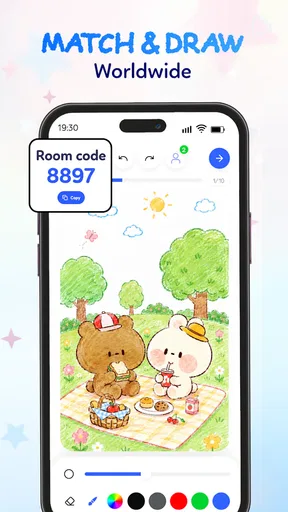
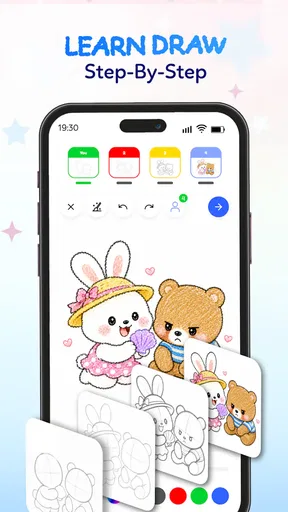
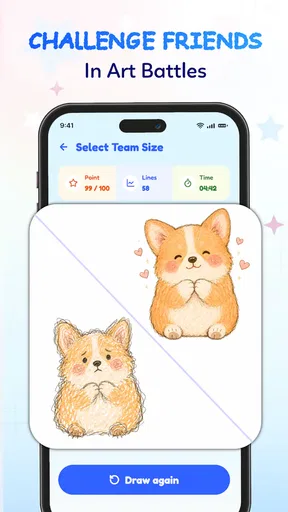
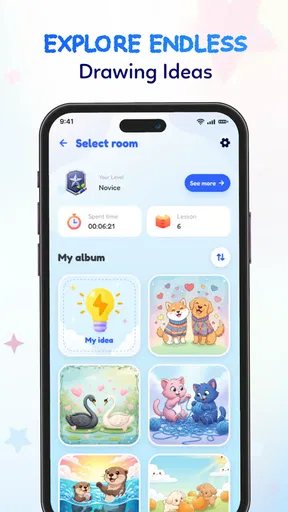
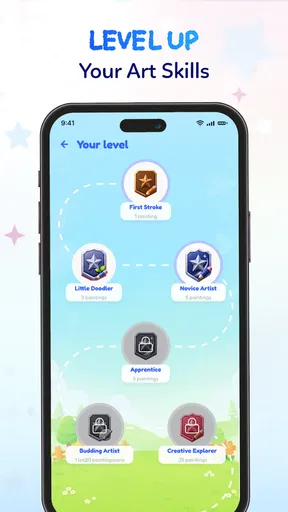
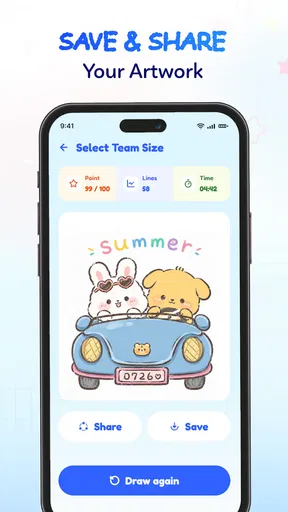
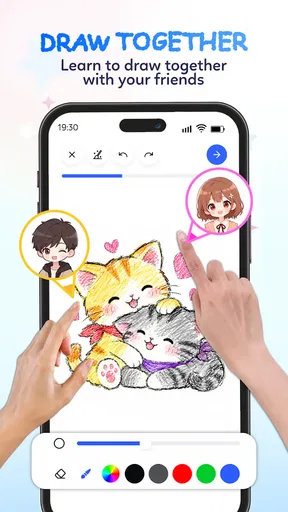
Our Review of Art Mate Together: How to Draw
 Analysis by Appyee
I approached Art Mate Together as a small, focused drawing app rather than a replacement for a full professional illustration suite. Its idea is easy to understand: make art with other people, trace artwork, and take part in drawing challenges that connect users beyond a single canvas. That combination gives it a different feel from a standard sketchbook, because the point is not only to produce a finished picture but also to practice, participate, and compare your creative choices with a wider community.
After spending time with it, I think its strongest appeal is the low-pressure way it turns drawing into a shared activity. You do not need to begin with a blank page and invent a complicated project. Tracing can provide a starting point, while collaborative and challenge-oriented elements give you a reason to return. For someone who wants a friendly introduction to digital drawing, this is more approachable than opening a feature-heavy art studio and wondering where to begin.
It is a free Art & Design app from Ahc Foundation Inc, rated for Everyone. The current version is 1.0.8, and it runs on devices using Android 7.0 or later. The app has passed the early discovery stage with over 10K installs, but I would still treat it as a developing product rather than a mature platform with years of refinement behind it.
What the current version is trying to do
The central experience is built around three connected habits: drawing alongside others, using tracing as a learning aid, and joining challenges involving people from different places. Those activities serve different kinds of users. Collaborative drawing is useful when you want interaction. Tracing helps when the hardest part is getting proportions or outlines started. Challenges add a goal for people who lose interest when drawing has no prompt or deadline.
That mix matters because many drawing apps assume the user already knows what they want to create. A blank canvas is flexible, but flexibility can also feel like pressure. Here, the app’s concept gives you several ways to begin. If you are practicing a face, object, character, or simple composition, tracing can help you study shape and spacing before you attempt the same subject without guidance. If you are more confident, the shared and competitive sides can make an ordinary sketch session feel less solitary.
I would not describe it as a complete digital art workstation. Its identity is closer to a social practice space with drawing tools than to a professional illustration package. That distinction should guide your expectations. Someone looking for advanced layer management, detailed brush customization, precision vector work, or a long list of export controls may be happier with an established art application designed around those needs. Someone who wants a more inviting route into drawing may find the narrower purpose refreshing.
The age rating also makes the app easier to consider for mixed-age households. That does not mean every interaction will suit every child without supervision, especially when an app includes community-facing activity. Parents should remain involved in how younger users participate online, but the Everyone rating signals that the basic concept is intended to be broadly accessible rather than aimed at mature audiences.
Why tracing is more useful than it first appears
Tracing is sometimes dismissed as copying, but I found it more valuable when used as a temporary scaffold. The productive approach is to trace once for structure, then hide or move away from the reference and redraw the same subject from memory. That turns a passive outline into a short lesson about angles, relative size, and the places where your eye tends to misjudge a form.
A practical routine is to use a challenge or shared prompt as the subject, trace only the largest shapes, and then add your own details afterward. This keeps the result from becoming a mechanical duplicate. It also gives beginners a way to participate without spending their first session fighting basic proportions. For younger artists, the same workflow can make drawing feel achievable instead of intimidating.
There is a trade-off, though. Tracing can become a comfort zone. If you always depend on an outline, progress may stop at recognition rather than observation. I recommend treating it as a warm-up: trace the first attempt, make a second version with less help, and occasionally start from an empty canvas. That small change makes the feature support learning instead of replacing it.
How the shared side changes a normal drawing session
Drawing together is not simply the same as drawing alone with a chat window nearby. The appeal is the sense that another person’s choices can influence the direction of the image. A loose sketch can become a prompt for a response, and a simple contribution can still matter if the activity is designed around participation rather than polished results.
For an everyday example, imagine having a short break after school or work. Instead of opening a large art program and spending several minutes choosing brushes and settings, you can use a tracing exercise to get moving, add your own changes, and then join a challenge before the session ends. That makes the app suitable for brief creative breaks. It is not necessary to reserve an entire evening for it to feel worthwhile.
The social design may also help people who are motivated by accountability. A private sketchbook depends entirely on self-discipline. A shared activity gives you a reason to finish something, even if the drawing is rough. In my experience, that can be more effective than another collection of brushes because the motivation comes from the activity itself.
At the same time, users who prefer quiet, private creation may find the communal emphasis distracting. If your ideal drawing session involves carefully refining one image without comparison or outside input, a conventional solo sketchbook is likely the better fit. Art Mate Together makes more sense when interaction is part of the reason you are drawing.
Challenges are helpful when you need direction
Challenge-based drawing addresses a common problem: having time to draw but no subject in mind. A prompt gives you a starting point and a natural stopping point. Rather than endlessly adjusting a picture, you can decide that the goal is to make one clear response and submit or share it through the activity.
The worldwide aspect adds variety to the experience. Seeing how different participants interpret the same idea can expose you to choices you would not make yourself. One person may simplify a form, another may exaggerate it, and a third may use tracing as a foundation before changing the entire mood. Even when you do not agree with every result, the range of approaches can be educational.
I would use challenges for experimentation, not as a strict measure of artistic ability. A competitive setting can encourage improvement, but it can also make beginners compare an early practice drawing with someone else’s more developed work. The healthier approach is to compare decisions: Did your composition become clearer? Did you try a new shape? Did you finish more confidently than last time?
What has changed and what that means for users
The current release is version 1.0.8, which places the app in an early stage of its product life. That is important context. A release at this point can feel more direct and less overloaded than a long-established drawing platform, but it may also have rough edges that larger competitors have already polished. I see the version as a reason to judge the app by its core experience rather than expect a huge toolbox.
For a new user, the early state can be a positive. There are fewer layers of history to understand, and the main concept remains clear: draw, trace, and participate. You can learn the app’s purpose quickly without first studying a complex interface. The downside is that users who demand a highly mature workflow may notice the limits sooner, particularly if their projects require detailed control or a carefully organized archive.
Existing users should think of the current version as a foundation for the app’s direction. The most meaningful progress will not necessarily be a larger brush menu. Improvements that make shared drawing easier to understand, challenges easier to revisit, and tracing more useful for learning would have a bigger effect on daily use. Clear feedback during collaborative activities would also matter, because social drawing works best when users understand what they can do and what happens next.
I would pay attention to how the app handles the transition from a first session to a regular habit. A newcomer may enjoy the novelty of tracing and challenges once, but long-term value depends on whether the activities remain varied and whether returning users can see their own improvement. The product does not need to become a professional studio to succeed; it needs to make its focused loop feel rewarding after the novelty fades.
Where it sits beside familiar alternatives
Compared with a traditional sketchbook app, this one is more guided and social. A conventional sketchbook usually wins when you want complete control over a personal canvas, uninterrupted work, and a private collection of drawings. Art Mate Together wins when you want a prompt, a shared context, or a way to use tracing as part of the process.
Compared with a professional illustration app, the difference is even clearer. Professional tools are generally better for long projects, detailed editing, complex organization, and precise finishing. They can also feel excessive for a beginner who only wants to draw for a few minutes. This app’s advantage is not technical depth; it is the way its concept reduces the distance between opening the app and actually making a mark.
It also differs from a simple tracing utility. A tracing-only tool can be useful for transferring outlines, but it does not offer the same reason to keep practicing through shared activities and challenges. If your only goal is accurate reference transfer, a specialized tracing workflow may be more efficient. If you want tracing to be part of a broader creative routine, this app has the more interesting premise.
One non-obvious trade-off is that specialization can improve motivation while limiting control. The app’s focused structure may help you start, but it may not support the final stages of a demanding illustration. My suggested workflow is to use it for ideation, practice, and social prompts, then move a promising concept to a more advanced tool when you need extensive refinement.
Small workflows that make the experience better
My first recommendation is to separate practice drawings from showcase drawings. Use tracing freely during the learning phase, but do not judge the result as if it were meant to be a finished portfolio piece. Afterward, make a second attempt with fewer guides. This gives you a clearer sense of whether the reference actually taught you something.
Second, use challenges to test one specific skill instead of trying to impress everyone at once. You might focus on silhouette, expression, composition, or simplifying detail. A narrow goal makes feedback easier to understand and prevents the social side from turning into vague comparison.
Third, treat collaborative drawing as a conversation in visual form. Leave room for another contribution rather than filling every area immediately. A shared canvas usually becomes more interesting when participants can respond to one another. This is a subtle difference from solo drawing, where unused space can simply look unfinished.
Fourth, keep your first sessions short. The app’s concept is well suited to repeated practice, and a brief session can be more sustainable than attempting a large image immediately. If you finish one small activity with a clear lesson, you have created a better habit than spending a long time on a project that leaves you frustrated.
Finally, decide in advance when you will stop tracing. For example, use it for the outline, then complete the interior details from observation. That rule preserves the feature’s convenience while making sure your own decisions remain visible in the finished work.
Who should use it, and who should skip it
I would recommend it to beginners who want structure, students looking for a relaxed way to practice, families seeking an accessible creative activity, and casual artists who enjoy prompts more than open-ended canvases. It may also suit people who are motivated by seeing different interpretations from a wider group of participants.
I would be more cautious if you are shopping for a professional production tool. Artists who need sophisticated editing, extensive brush control, advanced file organization, or a dependable long-form workflow should start with a dedicated illustration application instead. The same applies if you dislike community-oriented activities or want every drawing to remain a private, uninterrupted exercise.
Storage and device age are also practical considerations. The minimum operating system is Android 7.0, so compatibility depends on whether your phone or tablet meets that requirement. Before committing to it as your main art tool, I would test how comfortable the drawing surface feels on your particular screen and whether the interaction suits the way you hold the device.
Because the app is free, it is easy to try without turning the decision into a financial commitment. That makes it especially reasonable for a curious beginner. Free access does not automatically make an app useful, but here it lowers the barrier to testing the social and tracing concepts for yourself.
My view of its direction
Art Mate Together is most convincing when it stays close to its central promise: make drawing less isolated and less intimidating. The combination of tracing, collaboration, and global challenges gives it a recognizable personality. I appreciate that it does not need to pretend to be everything at once. Its value comes from helping people begin, practice, and share.
The remaining gaps are tied to that early identity. Users who want deep artistic control may outgrow it, while users who prefer private work may never connect with its social emphasis. The important question is not whether it can replace every other drawing app; it cannot and does not need to. The question is whether its focused activities give you a reason to draw more often. For the right person, they can.
As the product develops, I would watch for improvements that strengthen continuity: better ways to build a repeatable practice routine, clearer progression from tracing to independent drawing, and more satisfying ways to return to challenges after the first attempt. Those changes would help turn a pleasant first impression into a lasting creative habit.
My final recommendation is simple: try it if you want drawing to feel like an activity you join rather than a skill you must already possess. Start with a short tracing exercise, alter the result in your own style, and then use a challenge to test what you learned. If you need a private studio for polished, technically demanding work, choose a more specialized alternative. If you want an approachable, free entry point that combines art practice with participation, Art Mate Together is worth a place on your Android device.
Verdict
Strengths of Art Mate Together: How to Draw
- Step-by-step lessons make drawing easier for beginners.
- Useful reference images help improve proportions and details.
- Collaborative drawing features make practice more engaging.
- Simple controls are easy to understand on a phone or tablet.
- Suitable for short practice sessions whenever you have free time.
Limitations of Art Mate Together: How to Draw
- Some lessons may feel too basic for experienced artists.
- Advanced tools and content may require in-app purchases.
- Small screens can make detailed drawing tasks less comfortable.
- Results depend heavily on the quality of your device’s stylus.
- An internet connection may be needed for certain shared features.
Similar Picks in This Category
View All
Canva: AI Photo & Video Editor
Canva4.8

PENUP – Drawing-sharing SNS
Samsung Electronics Co., Ltd.4.5

Crafto
Kutumb App4.6

Sketchbook
Sketchbook4.1

ibis Paint X
ibis inc.4.5

Adobe Express: AI Photo, Video
Adobe4.6
Frequently Asked Questions
What is Art Mate Together: How to Draw?
Art Mate Together: How to Draw is a collaborative drawing app designed for people who want to create artwork with friends or other users. It provides a shared digital canvas where participants can sketch, add colors, and develop an illustration together. The app is aimed at beginners and casual artists, so you do not need advanced drawing experience to start experimenting with its tools.
Can beginners use Art Mate Together: How to Draw comfortably?
Yes. The app is designed to be approachable for users who may not have much experience with digital art. Its drawing-focused interface makes it possible to begin with simple sketches, while the collaborative format can make practice more enjoyable. Nevertheless, users looking for professional illustration features, highly precise brush controls, or advanced layer management may find the experience more limited than dedicated art applications.
Can I draw with friends in real time?
The main attraction of Art Mate Together: How to Draw is its shared drawing experience, allowing users to work on an artwork together rather than creating everything alone. Depending on the current version and connection conditions, collaboration may require joining a session, inviting another participant, or using an available online mode. A stable internet connection is recommended for smoother interaction and synchronization.
Does Art Mate Together: How to Draw require an internet connection?
Internet access may be necessary for the app’s collaborative features, especially when joining shared drawing sessions or communicating with other participants. Some basic drawing activities could work without a connection, but the complete experience depends on the version installed and how its online functions are implemented. Before downloading, check the store listing for current connectivity requirements and supported devices.
Is Art Mate Together: How to Draw free to download and safe for children?
The application may be available to download at no initial cost, although advertisements, optional purchases, or other restrictions can vary by platform and version. Parents should review the app’s age rating, privacy policy, permissions, and any communication features before allowing children to use it. If users can interact online, supervision is advisable, particularly when children join sessions with people they do not know.
